Add new patient
The section describes how to add a new patient record.
1- On 'My Patients' page click on the  button.
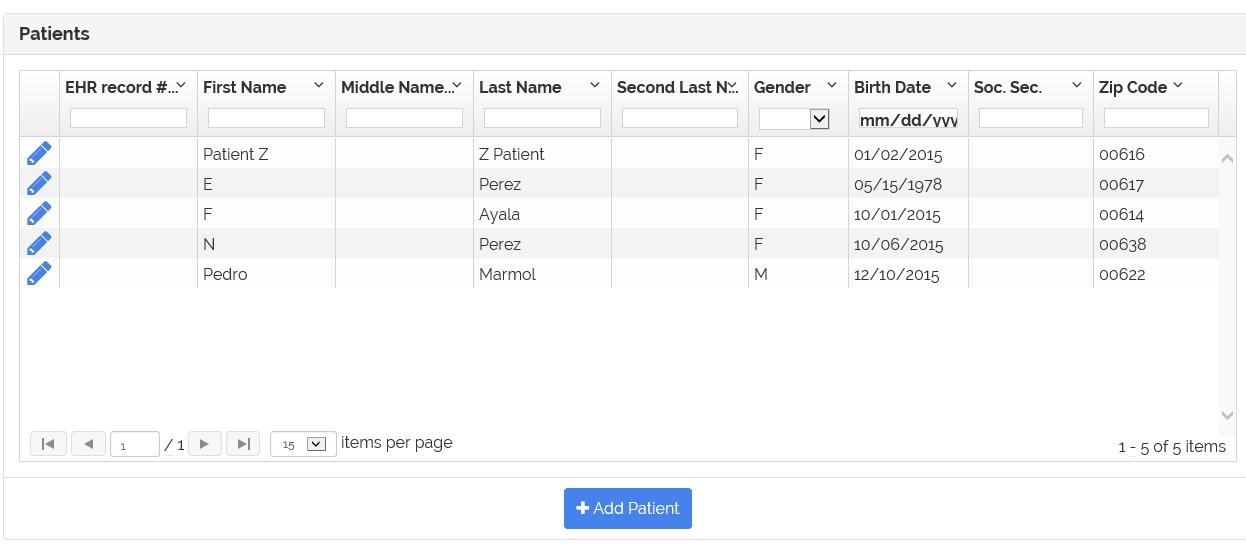
2- The page to enter the patient information appears.
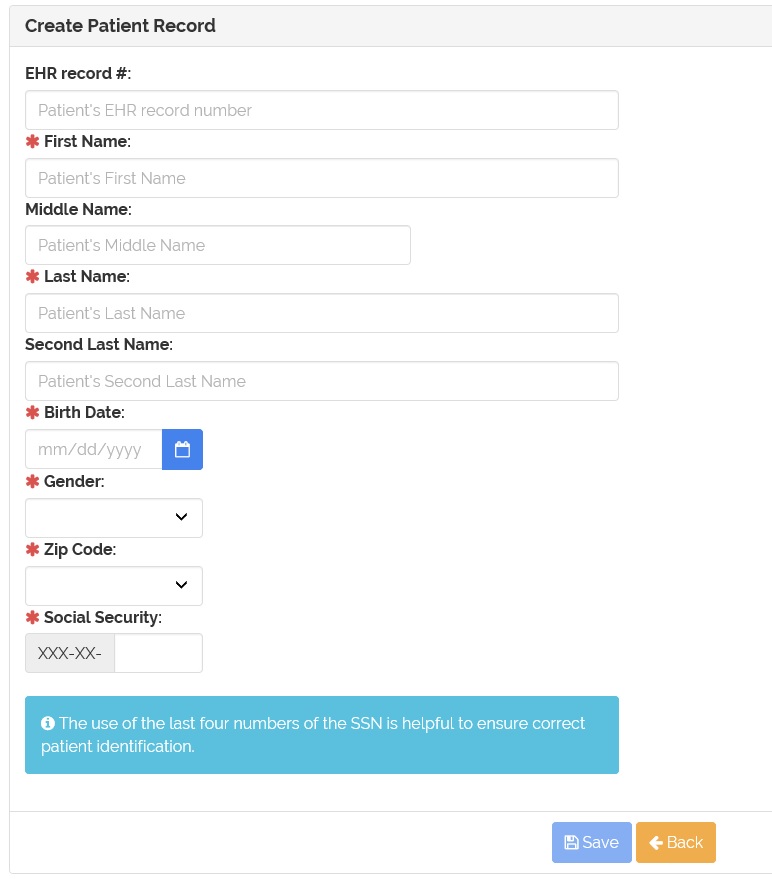
3- Fill the patient information. Fields marked with  are required.

4- Then click on the 'Save' button.
5- When adding the patient's record, the application verify if there is a similar patient with that information.
6- If a similar patient or patients were found the application will show them.
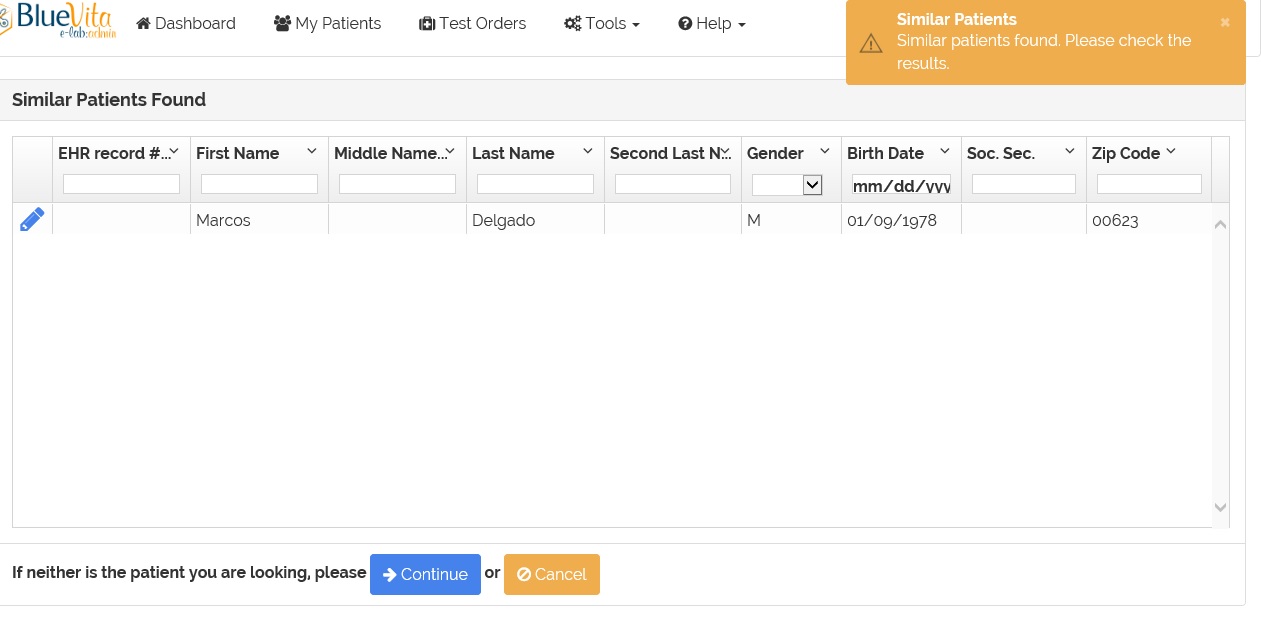
7- If the patient's record is already on the application, click on the  icon to select the patient's record.
8- If the patient that you are adding IS NOT on the list, click the  button to continue adding the patient's record.
9- If you are not sure or want to change the patient information before adding, click on the  button.